
4.8 KiB
Claude Code Router - Multi-Model Access with Intelligent Routing
Arch Gateway extends Claude Code to access multiple LLM providers through a single interface. Offering two key benefits:
- Access to Models: Connect to Grok, Mistral, Gemini, DeepSeek, GPT models, Claude, and local models via Ollama
- Intelligent Routing via Preferences for Coding Tasks: Configure which models handle specific development tasks:
- Code generation and implementation
- Code reviews and analysis
- Architecture and system design
- Debugging and optimization
- Documentation and explanations
Uses a 1.5B preference-aligned router LLM to automatically select the best model based on your request type.
Benefits
- Single Interface: Access multiple LLM providers through the same Claude Code CLI
- Task-Aware Routing: Requests are analyzed and routed to models based on task type (code generation, debugging, architecture, documentation)
- Provider Flexibility: Add or remove LLM providers without changing your workflow
- Routing Transparency: See which model handles each request and why
How It Works
Arch Gateway sits between Claude Code and multiple LLM providers, analyzing each request to route it to the most suitable model:
Your Request → Arch Gateway → Suitable Model → Response
             ↓
    [Task Analysis & Model Selection]
Supported Providers: OpenAI-compatible, Anthropic, DeepSeek, Grok, Gemini, Llama, Mistral, local models via Ollama. See full list of supported providers.
Quick Start (5 minutes)
Prerequisites
# Install Claude Code if you haven't already
npm install -g @anthropic-ai/claude-code

# Ensure Docker is running
docker --version
Step 1: Get Configuration
# Clone and navigate to demo
git clone https://github.com/katanemo/arch.git
cd arch/demos/use_cases/claude_code
Step 2: Set API Keys
# Copy the sample environment file
cp .env .env.local

# Edit with your actual API keys
export OPENAI_API_KEY="your-openai-key-here"
export ANTHROPIC_API_KEY="your-anthropic-key-here"
# Add other providers as needed
Step 3: Start Arch Gateway
# Install and start the gateway
pip install archgw
archgw up
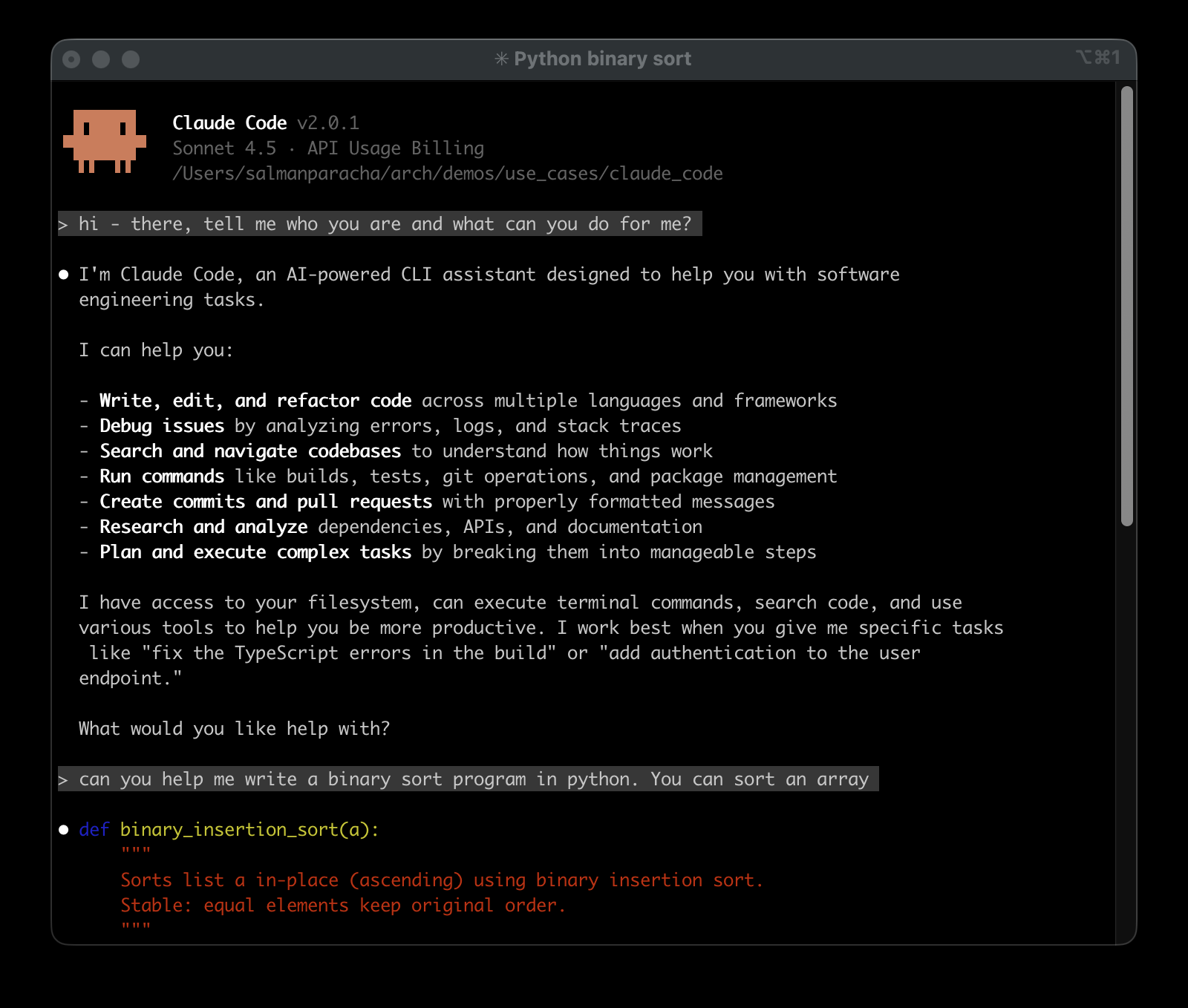
Step 4: Launch Enhanced Claude Code
# This will launch Claude Code with multi-model routing
archgw cli-agent claude
Monitor Model Selection in Real-Time
While using Claude Code, open a second terminal and run this helper script to watch routing decisions. This script shows you:
- Which model was selected for each request
- Real-time routing decisions as you work
# In a new terminal window (from the same directory)
sh pretty_model_resolution.sh

Understanding the Configuration
The config.yaml file defines your multi-model setup:
llm_providers:
  - model: openai/gpt-4.1-2025-04-14
    access_key: $OPENAI_API_KEY
    routing_preferences:
      - name: code generation
        description: generating new code snippets and functions

  - model: anthropic/claude-3-5-sonnet-20241022
    access_key: $ANTHROPIC_API_KEY
    routing_preferences:
      - name: code understanding
        description: explaining and analyzing existing code
Advanced Usage
Override Model Selection
# Force a specific model for this session
archgw cli-agent claude --settings='{"ANTHROPIC_SMALL_FAST_MODEL": "deepseek-coder-v2"}'

### Environment Variables
The system automatically configures these variables for Claude Code:
```bash
ANTHROPIC_BASE_URL=http://127.0.0.1:12000  # Routes through Arch Gateway
ANTHROPIC_SMALL_FAST_MODEL=arch.claude.code.small.fast    # Uses intelligent alias
Custom Routing Configuration
Edit config.yaml to define custom task→model mappings:
llm_providers:
  # OpenAI Models
  - model: openai/gpt-5-2025-08-07
    access_key: $OPENAI_API_KEY
    routing_preferences:
      - name: code generation
        description: generating new code snippets, functions, or boilerplate based on user prompts or requirements

  - model: openai/gpt-4.1-2025-04-14
    access_key: $OPENAI_API_KEY
    routing_preferences:
      - name: code understanding
        description: understand and explain existing code snippets, functions, or libraries
Technical Details
How routing works: Arch intercepts Claude Code requests, analyzes the content using preference-aligned routing, and forwards to the configured model. Research foundation: Built on our research in Preference-Aligned LLM Routing Documentation: docs.archgw.com for advanced configuration and API details.