## MG-MC记录文档
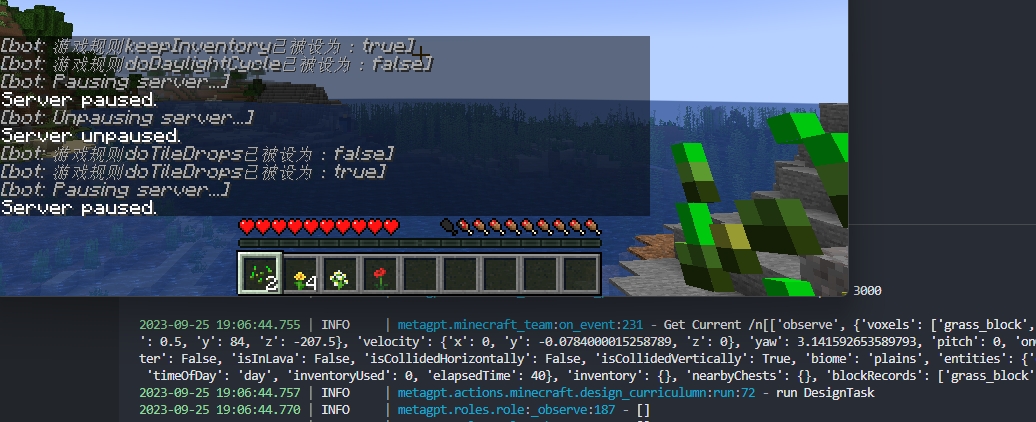
### 0926: 环境信息获取和更新 on_event()实际内容
1.Nodejs + Mineflayer配置
A.自行安装[Node.js (nodejs.org)](https://nodejs.org/en)
B.clone完之后,必须重新继续Mineflayer配置
```bash
cd metagpt/mineflayer_env/mineflayer
npm install -g npx
npm install
cd mineflayer-collectblock
npm install
npx tsc
cd ..
npm install
```
2.在mg环境上额外执行
```python
pip install -r mc_requirement.txt
```
3.配置完游戏后,在 minecraft_run.py 下修改
```python
mc_player.set_port(2465) # Modify this to your LAN port
```
python minecraft_run.py
 ### 0927:Action_developer 更新
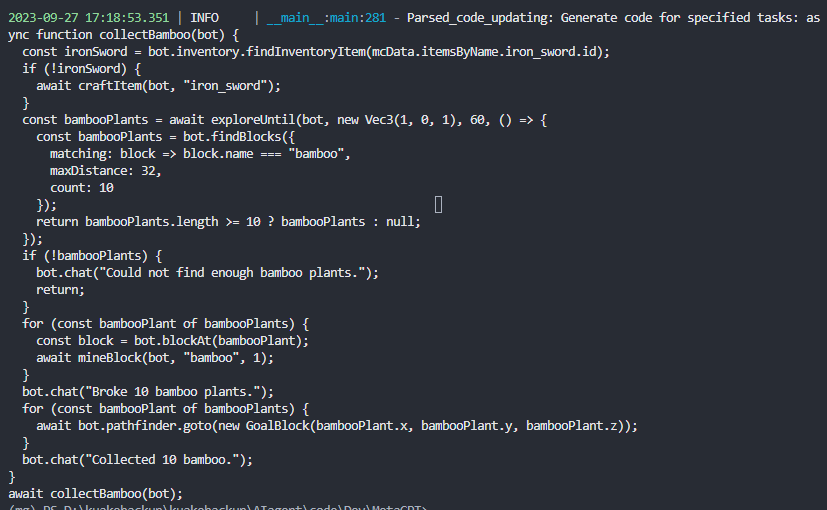
对应需实现 GenerateActionCode ,完成对应的和 GameEnvironment 的交
互和 Environment 的信息传递
测试结果
### 0930:Curriculum agent 更新
对应需实现 DesignTask和DesignCurriculum,以及与Environment 的信息传递。
**BUG FIX(0930):**
A.在前面的提交中,由于ignore了mineflayer下的lib,会造成如下报错
```bash
metagpt.minecraft_team:on_event:143 - Failed to retrieve Minecraft events: HTTPConnectionPool(host='127.0.0.1', port=3000): Max retries exceeded with url: /start (Caused by NewConnectionError(': Failed to establish a new connection: [Errno 111] Connection refused'))
```
解决方法:
1. 若本地已克隆项目不好更改可尝试:删除 metagpt/mineflayer_env/mineflayer + 重新copy voyager/env/mineflayer到目录下 + (npm install...0926.B命令)
2. 重新拉取最新提交+重新配置
### 0927:Action_developer 更新
对应需实现 GenerateActionCode ,完成对应的和 GameEnvironment 的交
互和 Environment 的信息传递
测试结果

### 0930:Curriculum agent 更新
对应需实现 DesignTask和DesignCurriculum,以及与Environment 的信息传递。
**BUG FIX(0930):**
A.在前面的提交中,由于ignore了mineflayer下的lib,会造成如下报错
```bash
metagpt.minecraft_team:on_event:143 - Failed to retrieve Minecraft events: HTTPConnectionPool(host='127.0.0.1', port=3000): Max retries exceeded with url: /start (Caused by NewConnectionError(': Failed to establish a new connection: [Errno 111] Connection refused'))
```
解决方法:
1. 若本地已克隆项目不好更改可尝试:删除 metagpt/mineflayer_env/mineflayer + 重新copy voyager/env/mineflayer到目录下 + (npm install...0926.B命令)
2. 重新拉取最新提交+重新配置